Gift cards have become a popular way to send and receive money online. Many people use them because they are fast, easy, and widely accepted. Apps like Carding now make it simple to convert gift cards into cash. With just a few steps, users can trade and get paid quickly. This has made gift card trading more common.
Carding is designed to help users sell different types of gift cards. The app provides features like a wallet, fast withdrawals, and easy transactions. The app focuses on gift card exchange. However, users should still be careful when using such platforms. Digital transactions always come with some risks.
In this review, we will look at how the app works and what it offers. We will also cover its features, benefits, and possible drawbacks. This will help you understand if the app is safe and worth using. By the end, you’ll be able to make a better decision.
Read Also: KK Loan App Review: Is It Legit or Not? (Find Out Here)
About Carding App
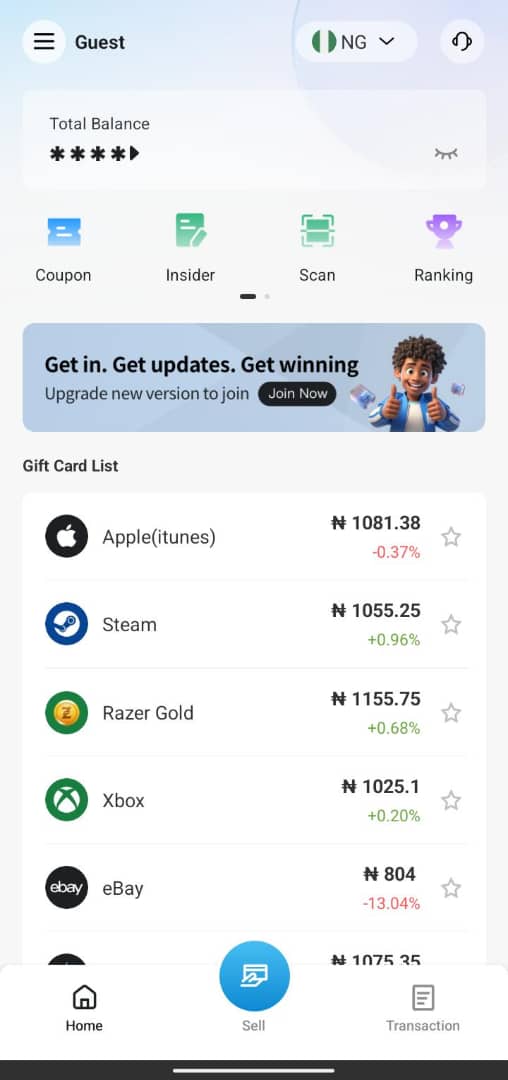
The Carding app is a platform that allows users to sell their gift cards and receive cash. It supports different types of gift cards like Amazon, iTunes, and Google Play, and provides a simple way to convert them into money. Users can trade their cards, get paid into a wallet, and withdraw to their bank account.
The app is not designed for illegal activities but for gift card exchange. However, since the gift card market can attract scams, users should be careful and only trade legitimate cards. It is mainly used for fast and easy gift card transactions.
How To Download The Carding App
To download the App:
For Android (Google Play Store)
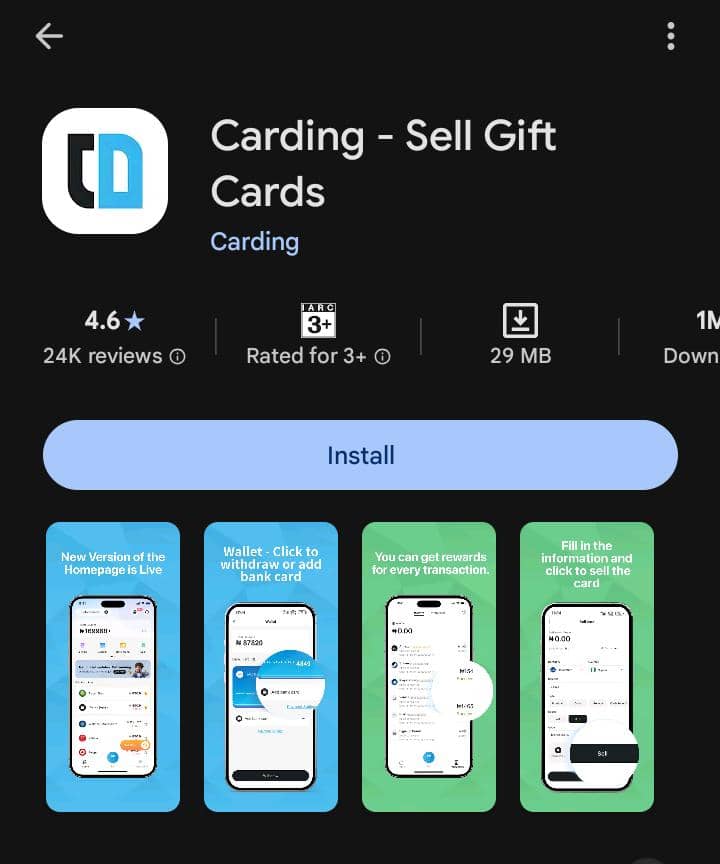
• Open Google Play Store: Tap the Play Store icon on your phone.
• Search “Carding” in the search bar.
• Download: Select the app and tap on download to start installing.
• The app will install, and you can then click “Open” to start registration.
iPhone
For iPhone (Apple App Store)
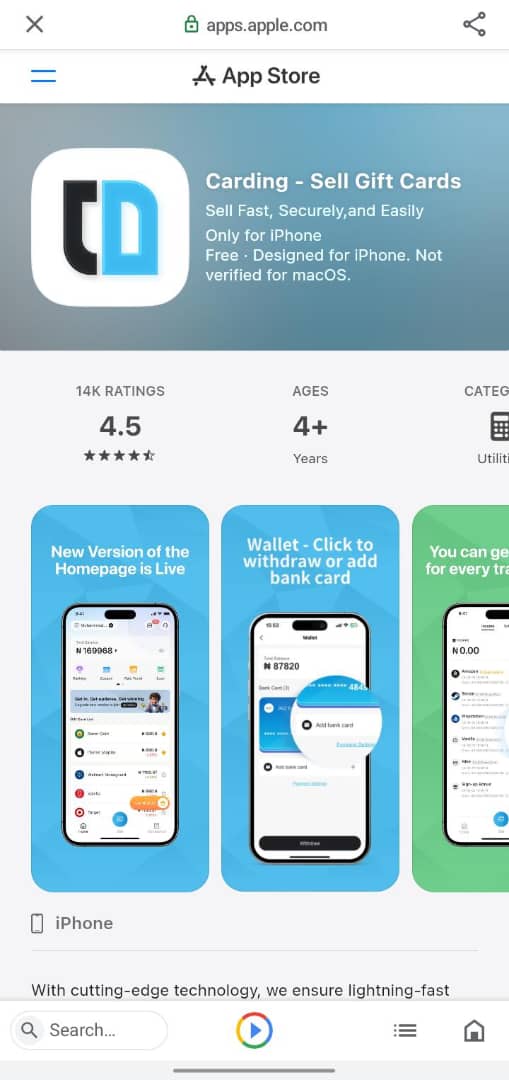
• Open App Store: Tap the App Store icon on your iPhone.
• Search: “Carding” in the search bar.
• Download: Select the official app and tap “Get”.
• Verify: Use Face ID or your Apple ID password to confirm the download.
How To Register An Account On The Carding App
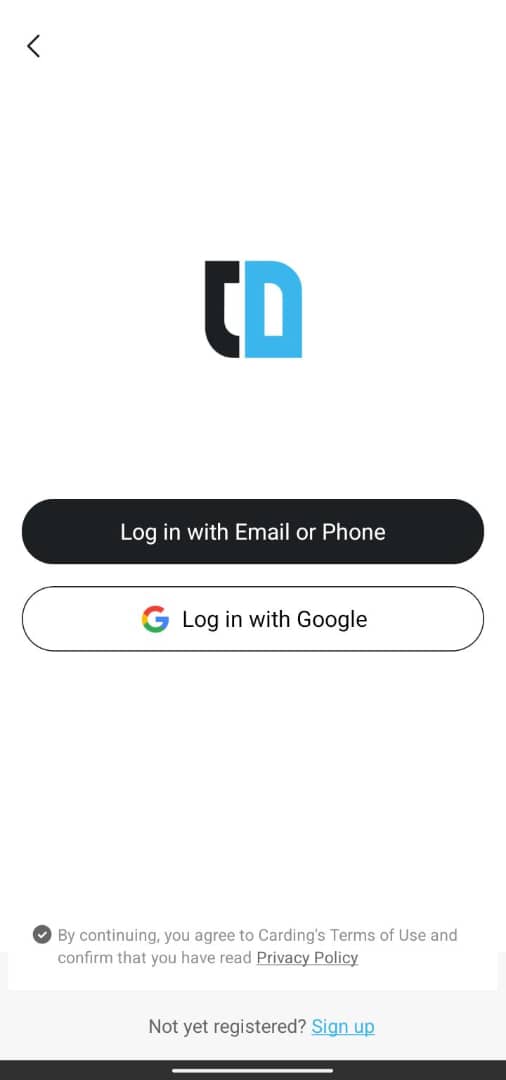
To register an account on the app, after opening the app, tap on any space and:
• In the app interface, check at the bottom of the app and tap on sign up.
• Sign up by using your email or phone number.
To Sign Up Using Email
• Select your country.
• Enter your email.
• Enter the verification code sent to you.
• Input your password and confirm your password.
• Enter your invitation code if someone invited you.
• Tap on sign up.
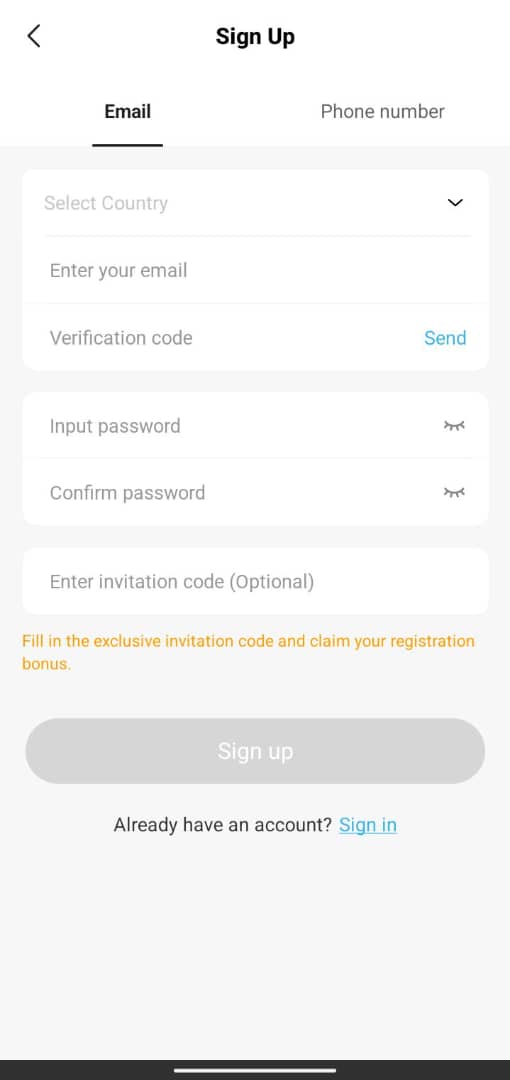
To Sign Up Using Phone Number
• Select your country.
• Enter your phone number.
• Enter the verification code sent to you.
• Input your password and confirm your password.
• Enter your invitation code if someone invited you.
• Tap on sign up.
How Does the Carding App Work
The Carding app works by allowing users to turn their gift cards into cash. You simply create an account, choose the type of gift card you have (like Amazon or iTunes), and enter the card details or upload the code. The app then checks the card’s value and shows you how much you’ll receive.
Once you accept the rate, the app processes the transaction. If the gift card is valid, the value is converted into money and added to your in-app wallet. This process is usually fast, depending on how quickly the card is verified.
After the money is in your wallet, you can withdraw it to your bank account. The app also includes features like transaction history and customer support. However, users should only trade legitimate cards and be careful to avoid scams.
How To Trade Gift Cards On The Carding App
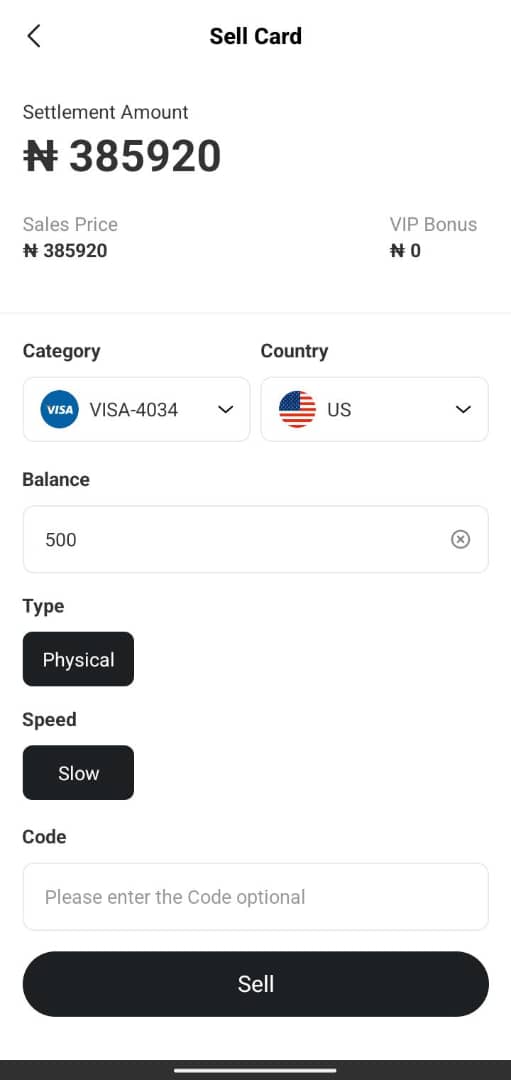
To trade gift cards on the Carding app, follow these steps:
1. List Your Card
Enter your gift card details, including balance, type and country.
Choose whether it is physical or code. If you choose code, you need to upload the code number. If physical, you can choose to upload your card image.
2. Sell Instantly
Their system matches your card with buyers in real time.
3. Get Paid
Once sold, your earnings are credited to your account instantly.
4. Withdraw
Transfer your funds to your bank account, e-wallet, or other payment methods.
Supported Gift Cards On The Carding App
The app supports a wide range of gift cards, including popular retailers like:
• iTunes.
• Steam.
• Razor Gold.
• Vanilla.
• Amazon.
• Walmart.
• Starbucks.
• PlayStation.
• Xbox.
and many more.
How To Bind a Bank Card & Withdraw Money From the Carding App
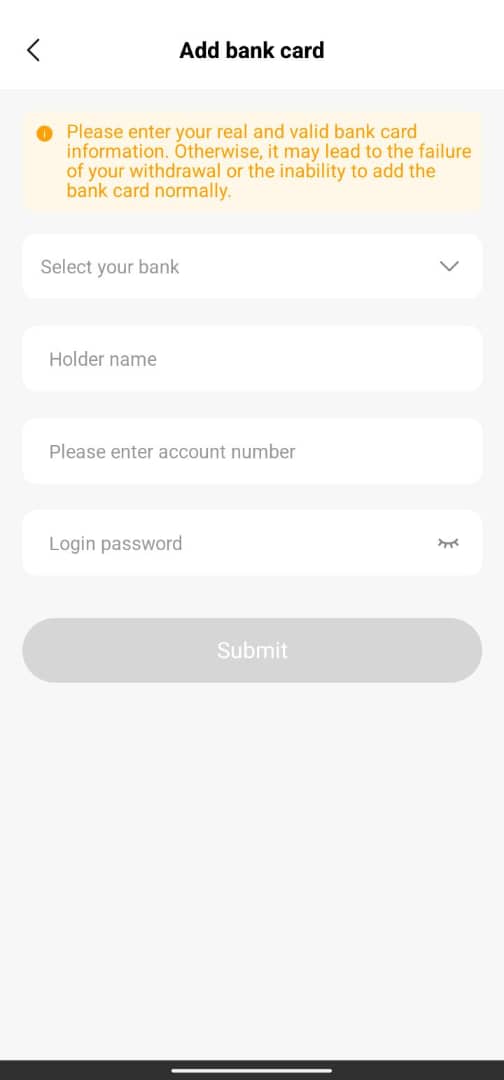
To withdraw your money from the app, first, you need to bind your bank card to the app.
How To Bind Your Bank Card
Here are the steps to bind your bank card to the app.
1. Enter Your Bank Name: Choose your bank example, UBA, Keystone, Opay and others.
2. Enter Holder’s Name: This means entering the exact name you used to create your bank account.
Entering a different account name can mean losing your money.
3. Enter Account Number: Enter your bank account number correctly.
4. Enter Login Password: Enter the particular password you created when registering for your Carding account.
5. Submit: Tap on submit, and after approval, you can now move to the next step, which is withdrawing your money from your Carding wallet.
How to Withdraw From The Carding App
Here are the steps to withdraw from the Carding app:
1. Tap On Your Balance: On the app interface, tap on your available balance.
2. Tap On Withdraw: At the bottom of the app, tap on “withdraw”.
3. Enter Your Desired Amount: Enter the amount you wish to withdraw and click on withdraw.
4. Approval: Funds are sent to your desired bank account once your withdrawal is confirmed.
Benefits Of The Carding App
Here are some of the benefits of the app:
1. Quick cash conversion: You can turn gift cards (like Amazon gift cards, iTunes gift cards, or Razer Gold gift cards) into cash instantly instead of letting them sit unused.
2. Easy to use: You can trade your gift cards on the app in simple steps.
• Upload card/code.
• See the rate.
• Get paid.
There are no technical skills needed.
3. Fast payment: Carding promises fast payments within minutes.
They also allow you to transfer funds from your app wallet to your direct bank account.
4. Works from your phone: You don’t need a shop or office; everything is done from your smartphone.
Why Users Prefer Using The Carding App
Here are some of the reasons users prefer using the app:
These are based on user reviews:
1. Multiple Gift Card Support: You can sell different types of gift cards in one place:
• Apple cards.
• Steam.
• Razor Gold.
• Vanilla.
• Amazon.
• Walmart.
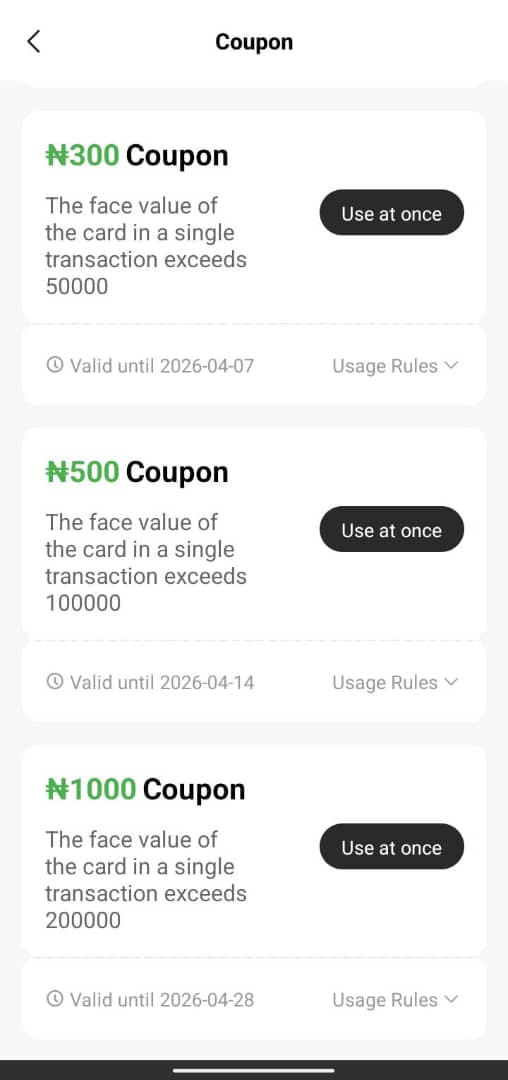
2. Give Coupons: The app frequently gives coupons to users, which, when used, reduce the processing fee and increase the amount of money they receive.
3. A Scan Option: This option allows users to scan their card for trading.
Is Carding App Legit or Not?
The Carding app has a mixed review about its legitimacy, with some users saying it’s the perfect app for trading gift cards, while others say it’s a scam.
However, mixed reviews are a red flag. Some users may get paid at first, while others later face delays or get scammed. It’s safer to test with a small amount and avoid offers that seem too good to be true.
Frequently Asked Questions (FAQs)
Which gift cards are supported on the Carding app?
It supports cards like Amazon, iTunes, Steam, Razer Gold, Walmart, and Xbox.
Is the Carding app legit or a scam?
The app has mixed reviews, so users should be careful and test with small amounts first.
What are Carding app coupons used for?
Coupons help reduce fees or increase the amount you receive from trades.
Why is my gift card not accepted on the Carding app?
It may be due to invalid details, already used codes, or unsupported card types.
What is the Carding app used for?
The Carding app is used to sell gift cards and convert them into cash quickly.
Conclusion
The Carding app makes it easy to turn gift cards into cash. It supports multiple card types and offers fast payments. The interface is simple, and features like coupons and a wallet make trading convenient. Users can do everything directly from their phone.
However, caution is needed. Some users report smooth transactions, while others face delays or issues. Always trade legitimate gift cards and start with small amounts to minimise risk.
Overall, the app can be useful if used responsibly. Knowing its features and limitations helps users make informed decisions and safely convert gift cards into money.